Marcus Folkesson

Embedded Linux Artist

Board bring-up part 4: Wrap it up

Board bring-up part 4: Wrap it up I'm currently working with a board bring up for a custom hardware based on a OMAPL138 from Texas Instruments. It is fun to work with "real" bring-ups. Most of my customers use System On Modules (SoM:s) these days. You get a lot for free with those modules but a lot of the fun is stripped away. This post is not intended to be guide, it is more of a follow-me-through-my-work-post divided into three parts. cover

Board bring-up part 3: Other peripherals

Board bring-up part 3: Other peripherals I'm currently working with a board bring up for a custom hardware based on a OMAPL138 from Texas Instruments. It is fun to work with "real" bring-ups. Most of my customers use System On Modules (SoM:s) these days. You get a lot for free with those modules but a lot of the fun is stripped away. This post is not intended to be guide, it is more of a follow-me-through-my-work-post divided into three parts. cover

Board bring-up part 2: NAND flash

Board bring-up part 2: NAND flash I'm currently working with a board bring up for a custom hardware based on a OMAPL138 from Texas Instruments. It is fun to work with "real" bring-ups. Most of my customers use System On Modules (SoM:s) these days. You get a lot for free with those modules but a lot of the fun is stripped away. This post is not intended to be guide, it is more of a follow-me-through-my-work-post divided into three parts. cover

Board bring-up part 1: Memory hassle

Board bring-up part 1: Memory hassle I'm currently working with a board bring up for a custom hardware based on a OMAPL138 from Texas Instruments. It is fun to work with "real" bring-ups. Most of my customers use System On Modules (SoM:s) these days. You get a lot for free with those modules but a lot of the fun is stripped away. This post is not intended to be guide, it is more of a follow-me-through-my-work-post divided into three parts. cover

Flattened Image Tree (FIT) with Yocto

Flattened Image Tree (FIT) with Yocto Long time ago, I wrota a post [1] that compared the legacy Image format against Flattened Image Tree Format (FIT) [2] and highlighted the benefits of using it. The benefits is still valid and FIT images is my preferred way to boot a Linux kernel. Dispite that, I almost never see that FIT images is used in examples nor Board Support Packages (BSPs). So this post is mostly to give some more attention to the FIT images because I think it deserves it. The post will somehow overlap with the previous one, but my intension is to be a little more hands-on this time. cover
FIT vs legacy image format

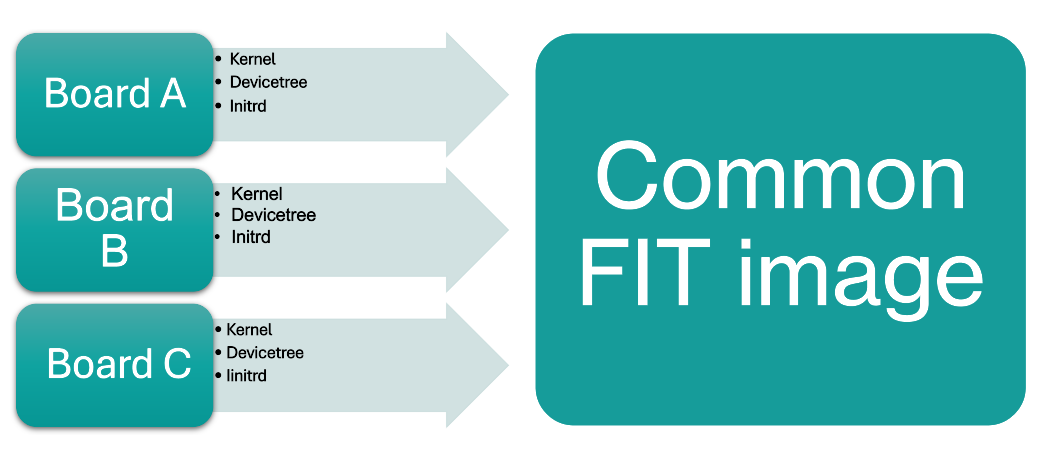
FIT vs legacy image format U-Boot supports several image formats when booting a kernel. However, a Linux system usually need multiple files for booting. Such files may be the kernel itself, an initrd and a device tree blob. A typical embedded Linux system have all these files in at least two-three different configurations. It's not uncommon to have a Default configuration Rescue configuration Development configuration Production configuration ... Only these four configurations may end up with unmanageable amount of different files. Maybe the devicetree is shared between two configurations. Maybe the initrd is... Or maybe the..... you got the point. It has a fairly good chance to end up quite messy.